

Your Google listing, managed from the same place as your menu
Connect your Google Business Profile and edit hours, info, and attributes, publish your Parsley menu to Google, post updates and photos, reply to reviews with AI-drafted suggestions, and set your own site as the preferred place to order
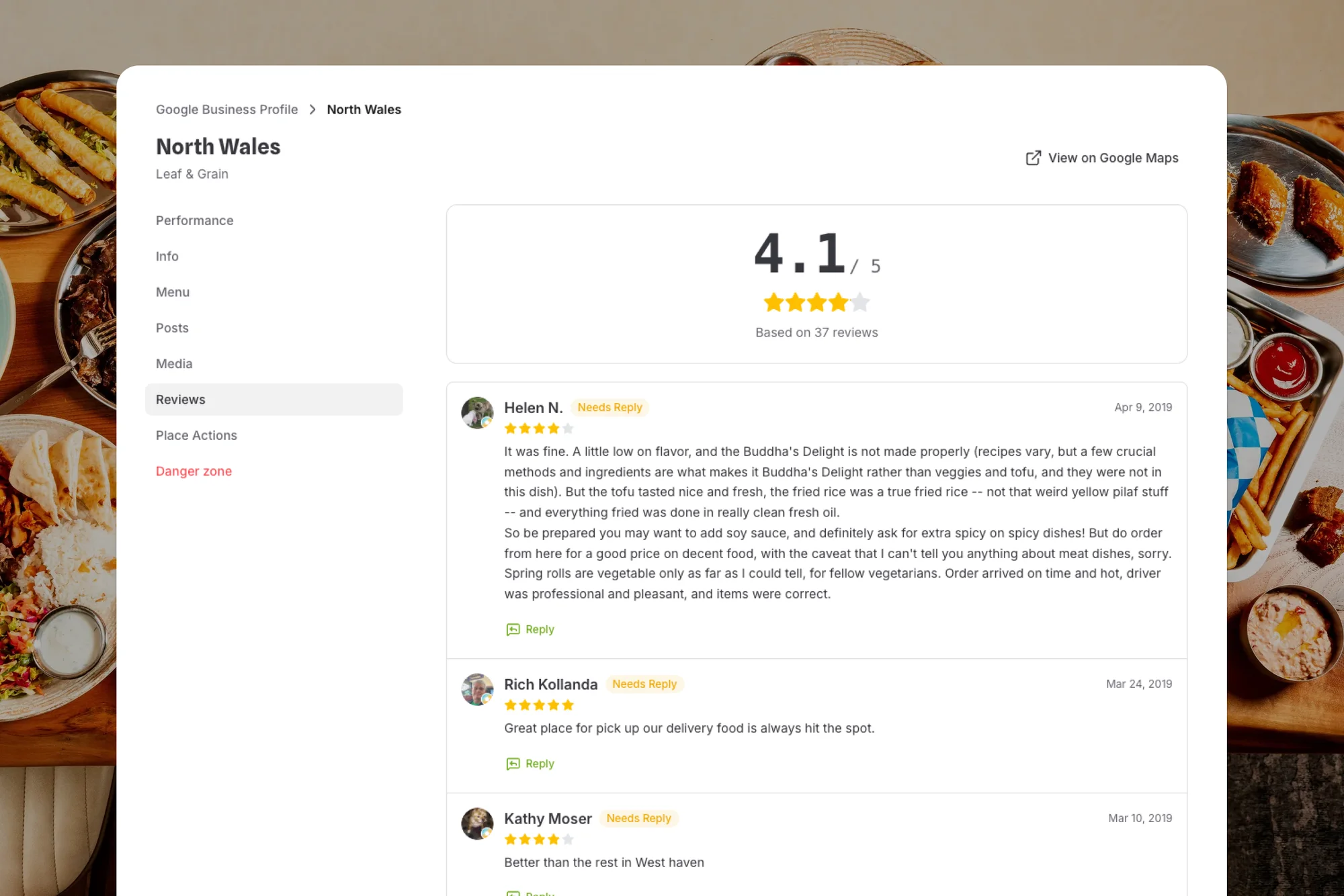
The listing more guests see than your website
Most guests decide on Google before they ever visit your site. Make that moment work for you
“Order online” points to you
Add your ordering link as a place action and mark it preferred, so guests who tap Order online on Google land on your commission-free checkout
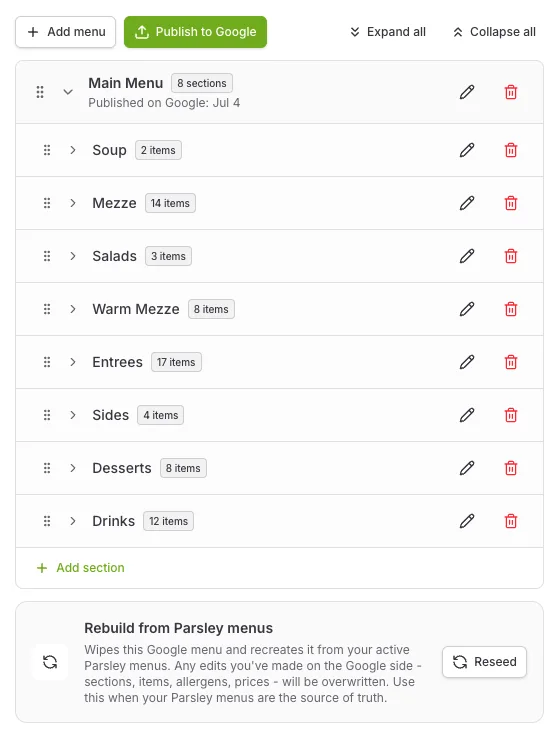
Your menu, on Google
Seed a Google menu from your Parsley menu, tidy it up, and publish it so searchers see your real dishes and prices
Reviews with a drafted reply
Every Google review for a location in one tab. Tap Suggest reply for a warm, professional, or apologetic draft, edit it, and send
Search traffic that turns into direct revenue
Guests who search your name should reach you, not an app
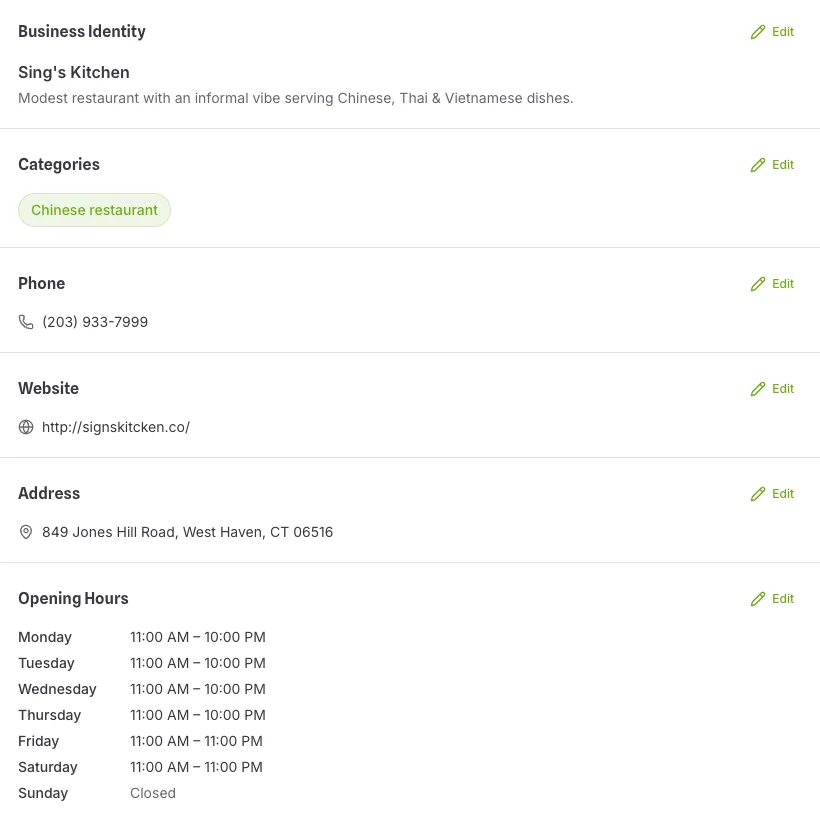
Hours, info, posts, and photos, per location
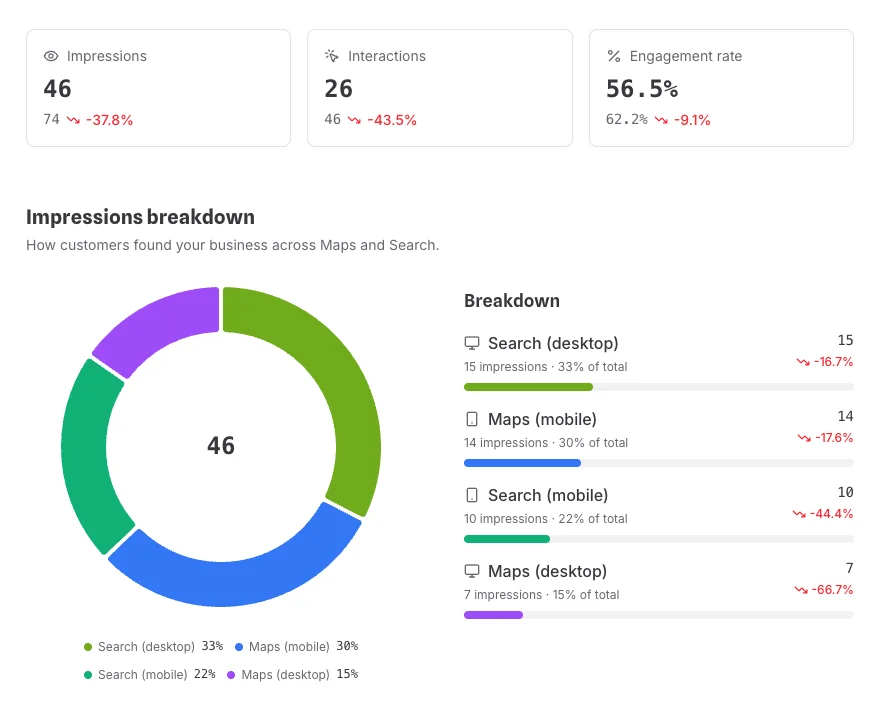
Impressions, interactions, and where guests found you
Questions about Google Business Profile
Does Parsley replace my Google listing?
No. You keep your existing Google Business Profile. Parsley connects to it with your Google sign-in, lets you manage it per location, and can be disconnected at any time.
Do my hours sync automatically?
Hours are edited in Parsley and saved to Google with one click. They are not pushed automatically from your location settings, so update both when you change a closing time.
Do I have to approve every review reply?
Yes. Suggested replies are drafts. You read them, edit if you like, and send. Nothing is posted to Google without you.
I have several locations. Does this scale?
Yes. Connect one or more Google accounts, bind each Parsley location to its Google profile, and manage each listing’s info, menu, posts, and reviews separately. Unread reviews show as one count in your sidebar.
How does my menu get onto Google?
Seed a Google menu from your active Parsley menus in one click, or build one from scratch. Edit sections and items with prices, allergens, dietary labels, and spiciness, drag them into order, then press Publish to Google, which replaces the whole food menu on your listing. Change your Parsley menus later and rebuild from them any time. Google only allows food menus on restaurant categories.
Can I post updates, offers, and events to Google?
Yes. Write an update, event, or offer with a photo or video and a button such as Order, Book, or Learn more. Events and offers take start and end dates, and offers can carry a coupon code and terms. Posts go live on Google as soon as you publish, and you can edit or delete them from the same tab, with views and clicks shown where Google reports them.
Can I remove DoorDash or Uber Eats links from my listing?
Not from Parsley, and not from Google either: links added by a third-party provider can only be removed by that provider, and Google requires them to do it within five business days. Parsley points you to each provider’s opt-out page. Your own Order online, delivery, takeout, and reservation links you add, edit, remove, and mark preferred from the Place actions tab.
What can I see about how the listing performs?
Impressions split across Search and Maps on desktop and mobile, plus calls, direction requests, website clicks, menu clicks, bookings, and food orders, day by day. Pick today, the last 7 or 30 days, this month, this year, or a custom range, compare with the previous period or year, see the search terms guests used to find you, and export the numbers as a CSV.
Free to start.
Ready when you are
Google Business Profile management is part of every Parsley account. Connect your Google account and bind your locations